Ideas
The idea backlog is where a video starts: everything you might make, in one place, structured so that picking the next one is a decision instead of a search.
An idea is a title, a description, optional details, a priority, tags and a status.
The backlog
Ideas belong to a workspace, not to a project — a workspace has more ideas than videos, and most of them never become one. That is the normal ratio, not a failure.
The Ideas widget on the dashboard is the way in: type a line and press Enter, and it is saved. Project, status and priority are changed right in the row; the pencil opens the whole idea.
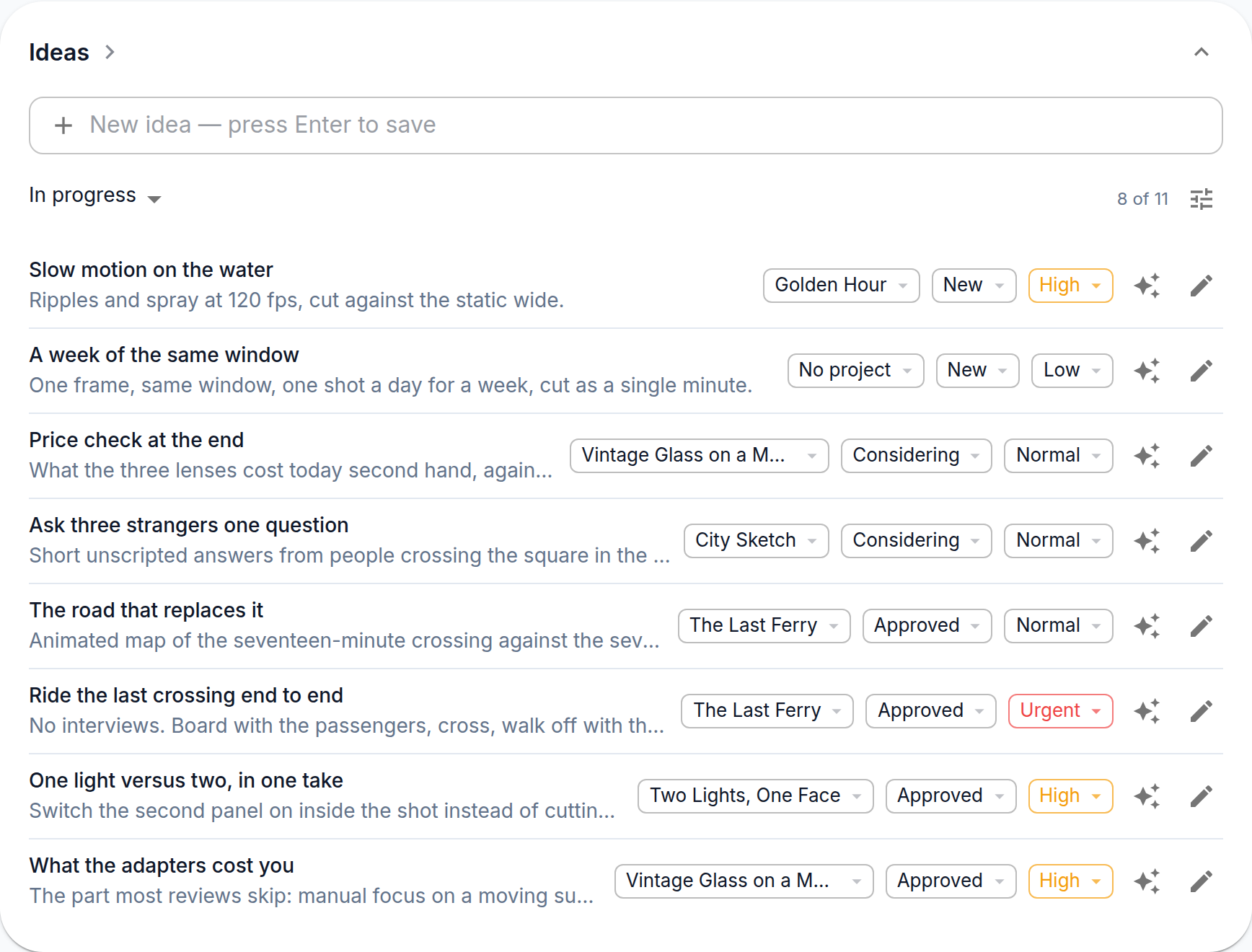
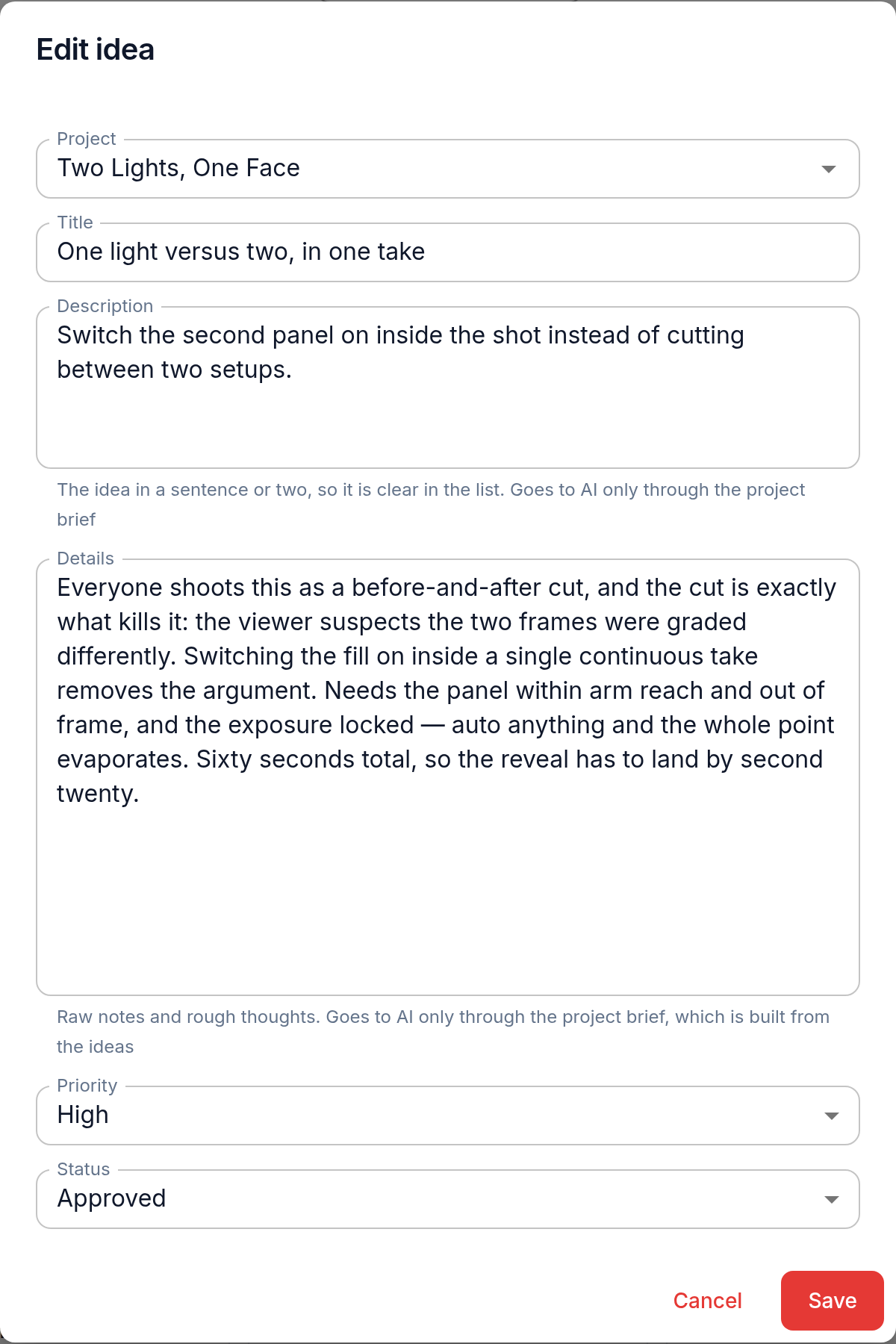
Write the idea the way you will read it in three months. The title carries the hook, the description says what the video would be, and details hold anything you would otherwise lose: a link, an angle, a line you thought of in the shower.
Statuses
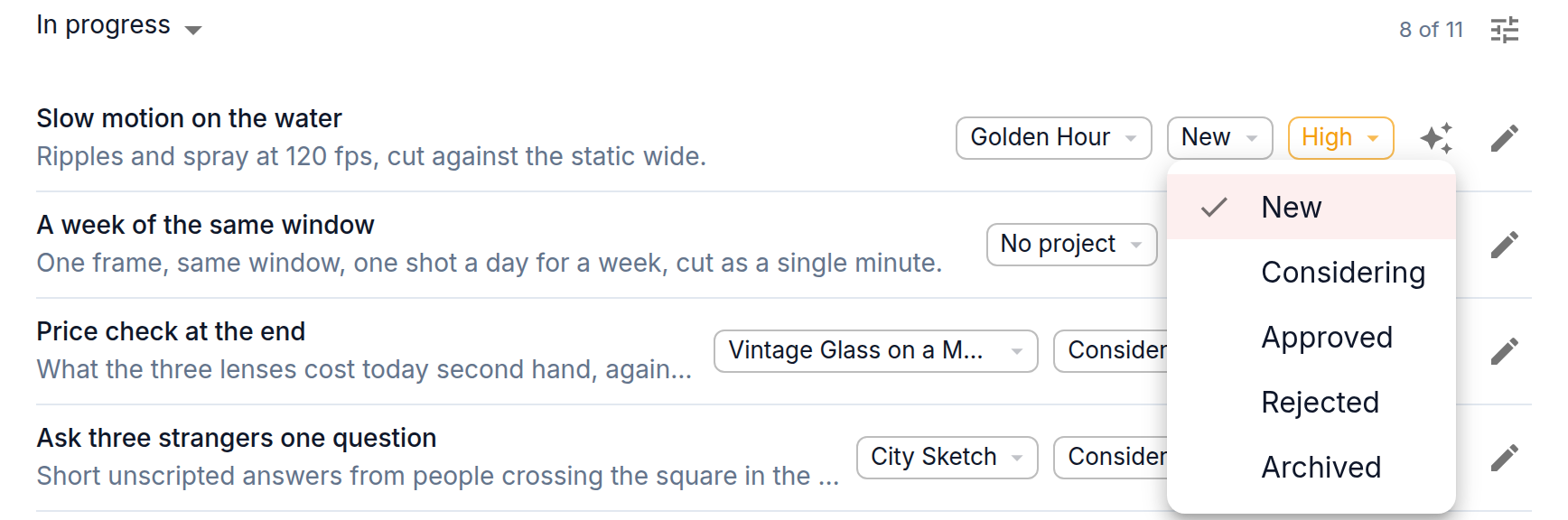
The status says how far you have thought an idea through, and nothing else. Nothing in the app moves it — you do.
- New — written down, not looked at since. This is the inbox.
- Considering — you are working on it: thinking it over, collecting material, deciding whether it holds up as a video.
- Approved — you are making it. This is the one that turns into a project.
- Rejected — decided against, kept on purpose. A rejected idea is what stops you from inventing the same thing again next quarter.
- Archived — off the list without a verdict.
The line worth keeping honest is New against Considering. Without it the inbox turns into a pile where you cannot tell what you have already read, and "what am I actually working on" stops being a question the list can answer.
Priority and tags
Priority is a coarse rank — low, normal, high, urgent — and it is there to sort, not to schedule. Tags cut across the backlog by subject or series. They are attached in the Idea Tags list rather than on the idea itself; filter that list by a tag and a line of videos comes out as a group.
Turning an idea into a project
Approving an idea does not create anything by itself — Approved is a status like the others. The link to a project is what turns it into a video: pick the project in the idea's row or form, or let Build the project brief create one (below). The project takes over the planning; the idea stays as the record of where the video came from. Ideas can also be attached to an existing project — that is how a note like "shoot a cold open for this one" stays with the video it belongs to instead of floating in the backlog.
Build the project brief on an idea takes you to its project and builds the brief from all of the project's ideas; an idea without a project gets one first. Ideas never go to AI on their own: the brief is what every AI step reads, and you see and edit it before anything else is generated. Rejected and archived ideas stay out of the brief — you have already decided about them.