How CoTube works
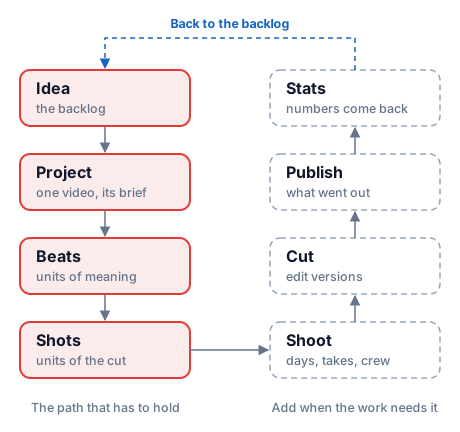
CoTube follows the route a video actually takes — idea, project, beats, shots, shoot, cut, publish — and this page walks it stage by stage.
An idea becomes a project, the project is broken into beats, the beats are cut into shots, the shots get filmed, the footage becomes a cut, and the cut gets published and measured. Every stage is a normal page you can edit and sort. Nothing forces you to walk the whole route — a vlog can stop after the shot list, and a scripted piece uses all of it.
Workspaces
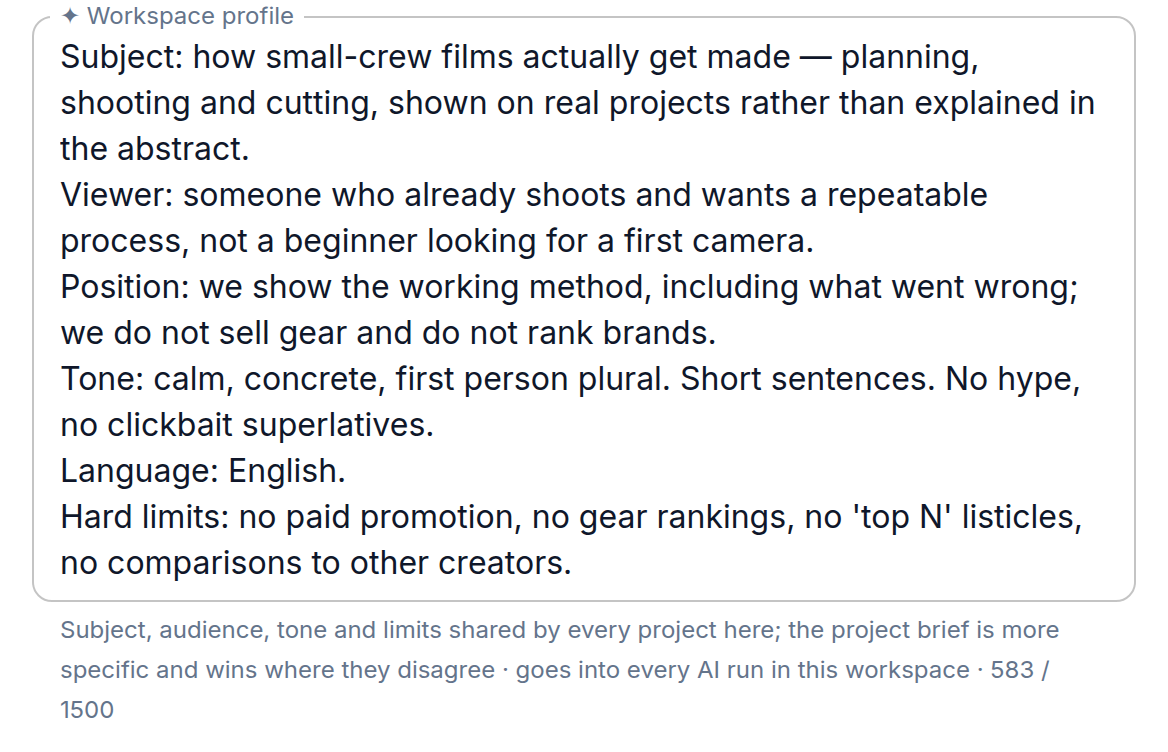
A workspace is everything you make under one frame — a channel, a brand, a client or a series. It holds the workspace profile, the people working on it, the catalog of locations, cast, crew and gear, and every project that comes out of it.
The profile matters more than it looks. It describes that frame in plain words — audience, tone, subjects, what you never do — and it is fed to every AI task, so generated text sounds like your work instead of a generic script. The workspace also sets the default format for new projects and the content language.
Ideas
Ideas live in one backlog, before any of them is a project. An idea is a title, a few lines of what it is, a priority and a status that says how far you have thought it through. The point is to stop losing them to a notes app: when you pick one, it turns into a project without retyping, and its notes become the raw material for the project's brief.
More on statuses and how a backlog is worked: Ideas.
Projects
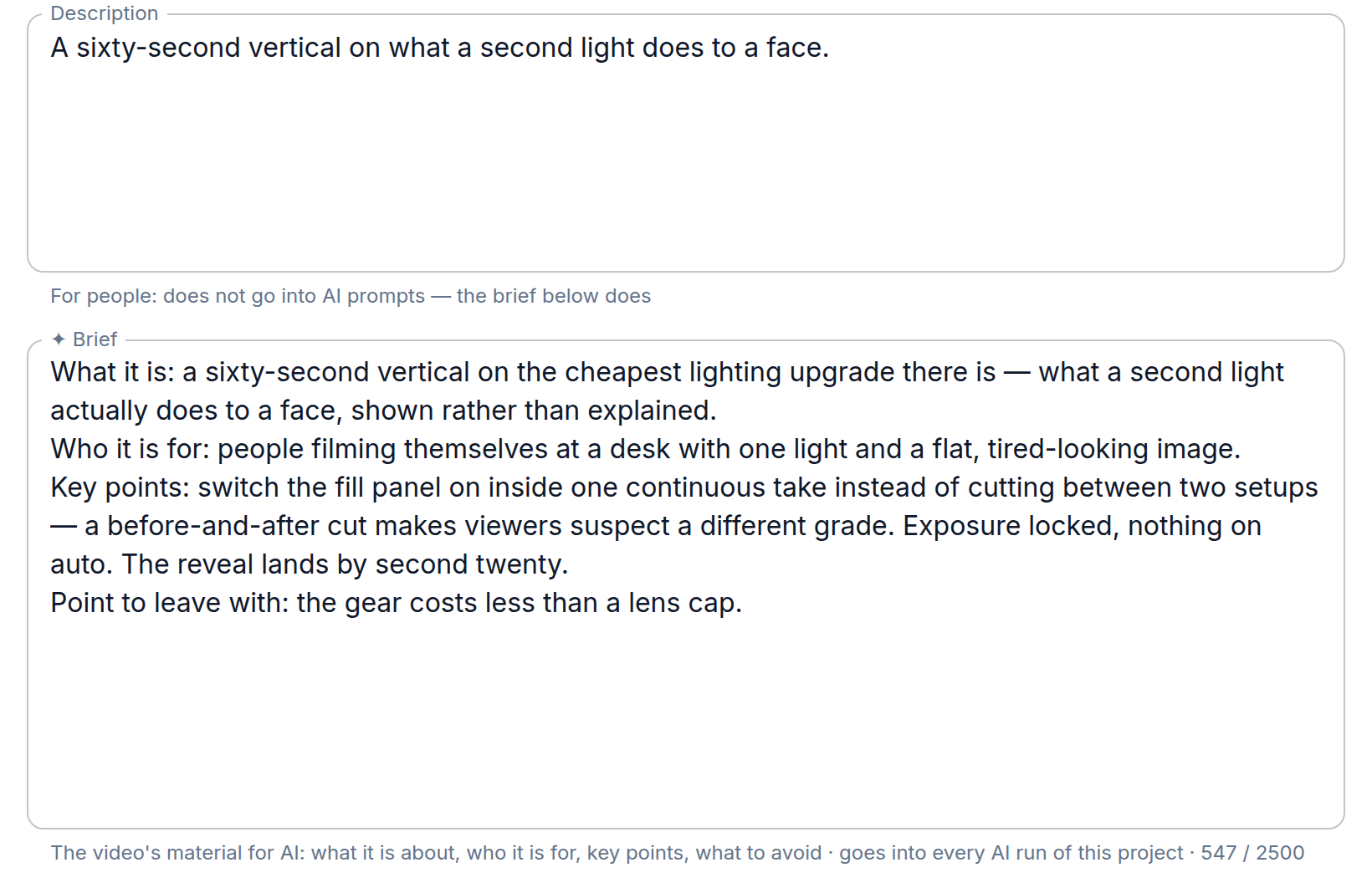
A project is one video. It carries the working title, a description for people, the brief for AI, the platform it is headed for, frame rate, resolution and aspect ratio, the planned duration and the target publish date.
The brief is the video's material for every AI step — what it is about, who it is for, the points it must make, what to avoid. You can write it yourself or have it built from the project's ideas and then edit it: ideas are raw notes, and the AI works from the brief you have read, not from the notes directly. Fields that go to AI are marked with ✦ and show how long they are, since they are sent with every run.
The project status tracks where the work is: Idea → Writing → Shooting → Editing → Published → Archived. It is the honest answer to "what state is this in," not a task board column — nothing in the app moves it for you.
The working title is short and stays put (LRN 008 Spending, not a sentence). The title that goes
on the platform is a different field entirely and is chosen later, when the cut is packaged: it gets
rewritten for click-through, and mixing the two means losing the stable name you navigate by.
Beats and shots
Inside a project the work splits in two levels, and the difference is the thing most people trip over at first.
A beat is a unit of meaning — the hook, the problem, the turn. It says what this stretch of the video has to accomplish and roughly how long it may take. A shot is a unit of the cut — one camera setup, one line of the AV script, the thing you actually film and later drag to the timeline.
One beat becomes several shots. The script text lives on the shots, not on the beat, because that is where it ends up in editing: a line of narration belongs to the frame it plays over.
More on the split: Beats, scenes and shots.
Production
If you shoot with other people, the production layer holds the rest of it: shoot days with the shots assigned to them, takes with their marks, cast, crew, equipment, props, locations and risks. A solo author can ignore all of it and go straight from shot list to camera.
More: Shooting.
Editing and publishing
Edit versions track the cuts you export, and a publish record holds what actually went out: the platform, the video id, the public title, the visibility and the date. Stats come back against that record, so the numbers sit next to the thing that produced them.
More: Editing and publishing.
What you can skip
Most of the app is optional. The only path that has to hold is idea → project → beats → shots; everything else is there when the work gets big enough to need it. Empty sections are not a checklist to complete — they are rooms you have not walked into yet.