Editing and publishing
The last stretch of the route: footage becomes a cut, the cut goes out, and the numbers come back next to the plan that produced them.
The reason to track it in the same place as the plan is simple — it is the only way the next idea gets to learn anything from the last video.
Edit versions
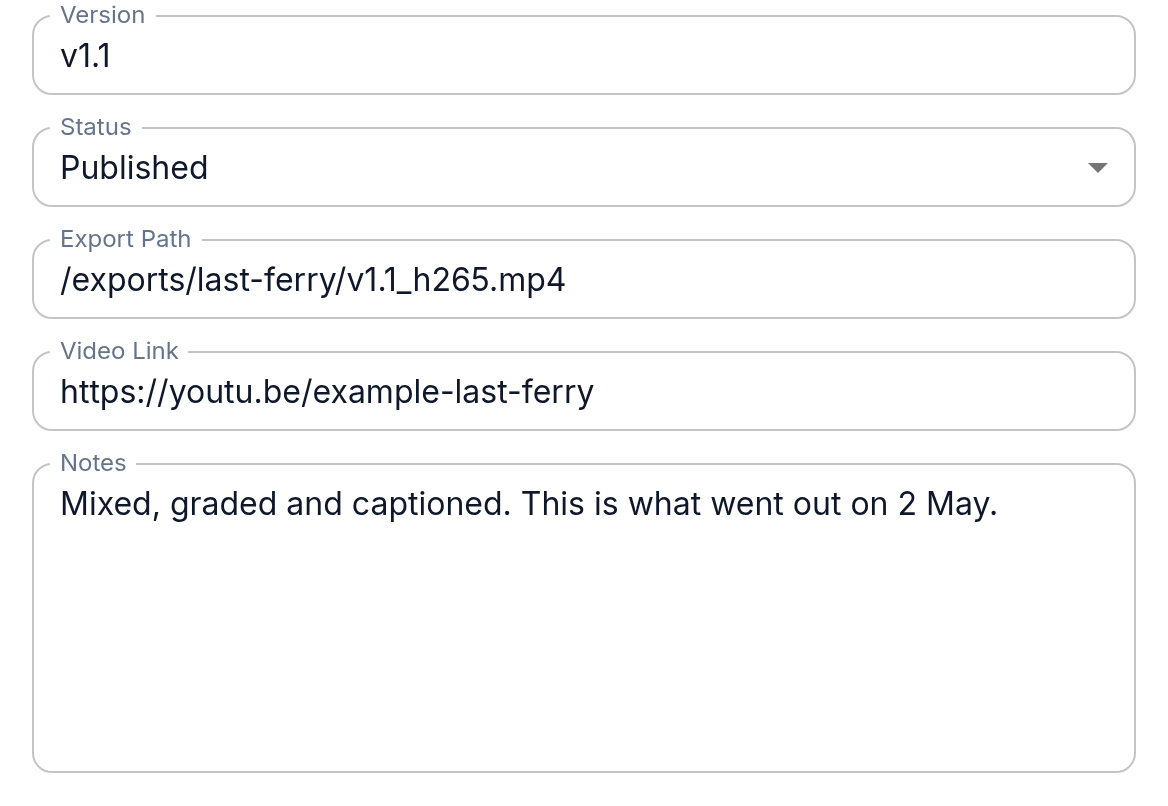
An edit version is one exported cut: a number, a status, a note about what changed, and a link or a file. Keeping versions is what makes "go back to the pacing we had before the music change" a real option instead of an argument.
Both lists live under FilmMaking: Edit Versions and Publishes. From a project's row in Projects the same links open them already filtered to that project.
Publishing a cut
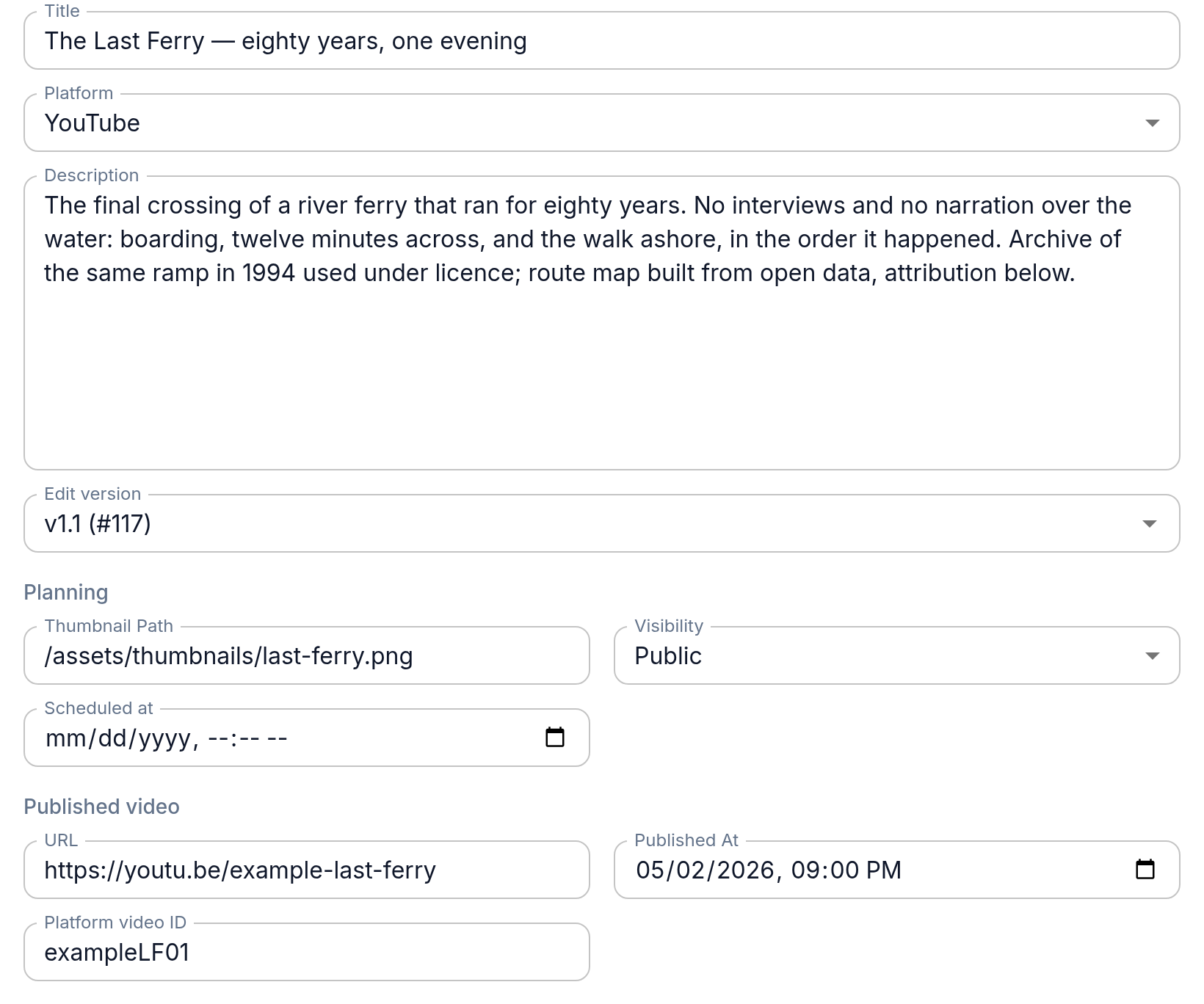
A publish record is what actually went out: the platform, the video id there, the public title and description, the visibility and the date.
The public title is deliberately not the project title. The working title is short, stable and the thing you navigate by; the published title is written for click-through, gets tested and rewritten, and belongs to the publication rather than to the project.
Stats
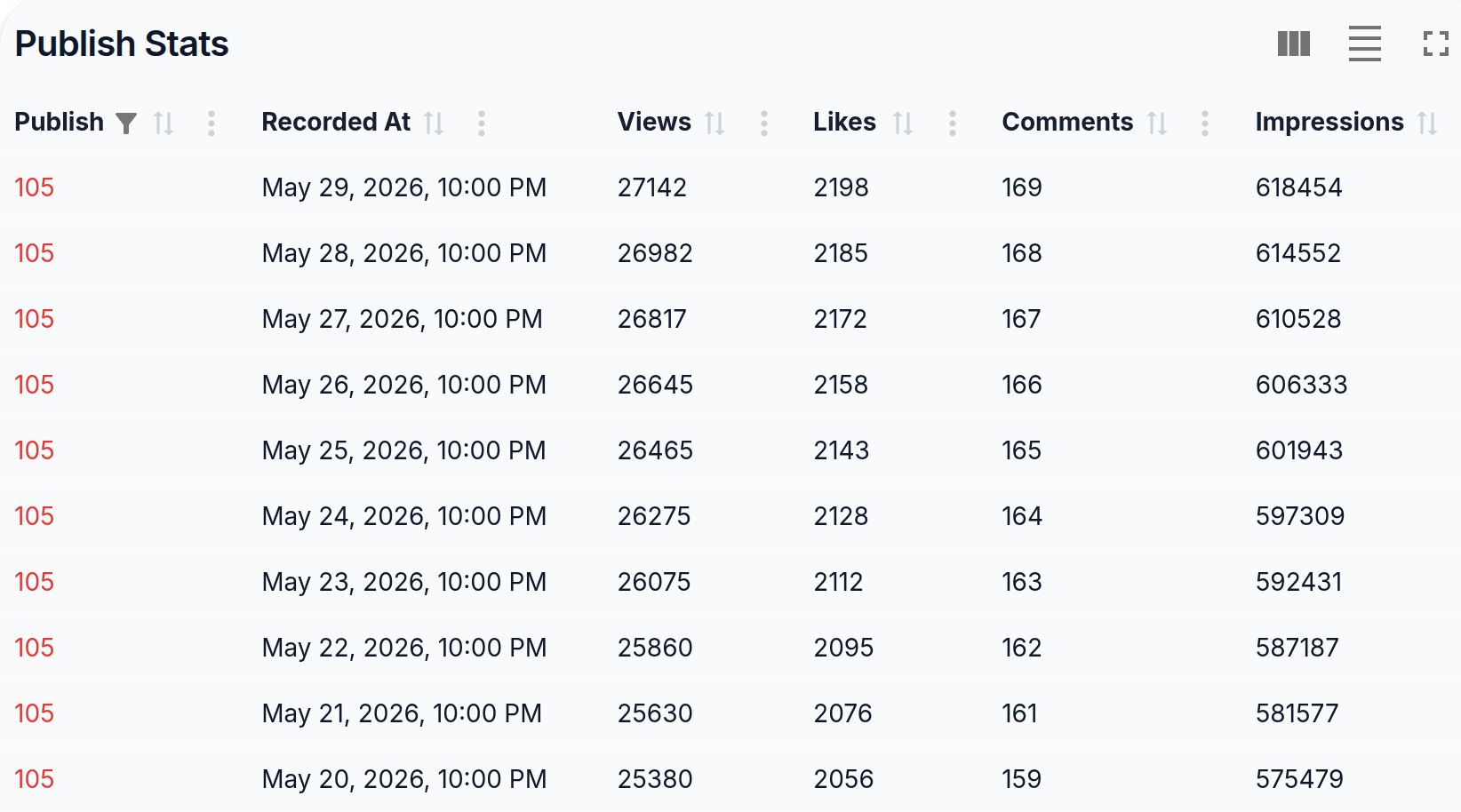
Numbers are kept against the publish record as snapshots: one row per date with views, likes, comments, impressions, click-through rate, average view duration, average percentage viewed and subscribers gained. Open them with the Stats link in the publish's row. For now you copy the numbers in by hand from the platform's analytics; pulling them in automatically is not there yet.
Keeping them next to the plan is the entire point: the numbers sit beside the beats, the duration you planned, and the hook you argued about, instead of in a separate dashboard where they explain nothing.
Back to the backlog
A finished video usually produces two or three ideas — what to cut differently, what to answer, what you promised on camera. Write them into the backlog while the edit is still fresh; that is the loop closing, and it is the cheapest content planning there is.